11 Feb
Volunteer teams usually don’t struggle with scheduling. They struggle with confirmation.
People forget shifts, plans change, and updates land in personal inboxes or spreadsheets. As a result, coordinators spend time chasing replies instead of planning coverage.
This how-to shows a simple Salesforce pattern for sending volunteer shift reminders and capturing attendance by reply, without turning it into a manual follow-up process.
Where attendance tracking quietly breaks
Even in organized programs, the same issues show up:
- Reminders are sent, but replies aren’t tracked centrally
- “Yes / No / Can’t make it” lives in someone’s inbox
- Last-minute changes don’t update the roster cleanly
- Coordinators don’t know who’s confirmed until the day of the shift
Meanwhile, reporting becomes guesswork because confirmations aren’t stored on the record.
The core idea
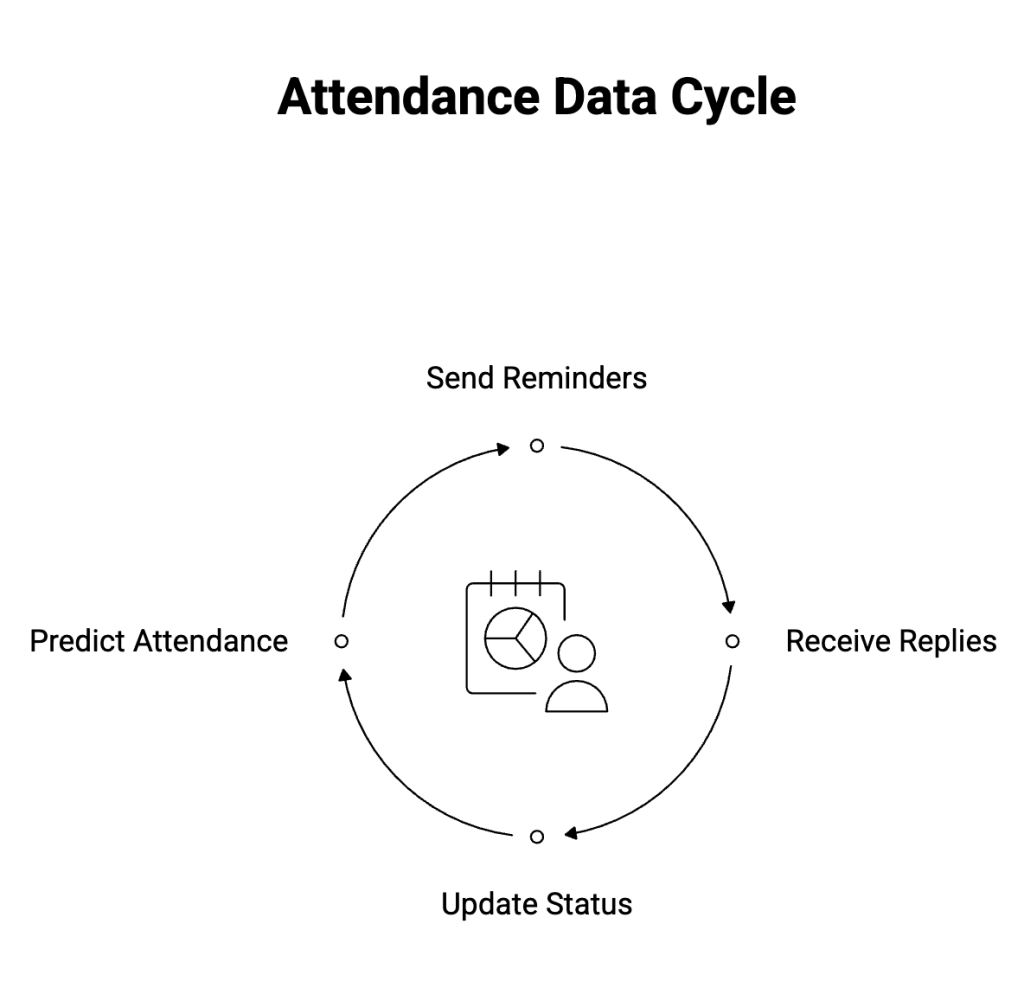
Treat attendance like data, not conversation.
That means:
- Reminders are tied to a shift record
- Replies update a status field, not a spreadsheet
- Coordinators see confirmation in Salesforce without chasing messages
Once replies are structured, the rest becomes predictable.
The How-to pattern (Quite simple)
1) Store the shift as a record
Each volunteer shift should have:
- Date and time
- Location or assignment
- Assigned volunteer(s)
- Attendance status (Pending / Confirmed / Declined)
This can be a custom object or an existing scheduling model.
2) Send reminders from Salesforce
Trigger a reminder:
- A day or two before the shift
- With clear reply options (for example: YES, NO, LATE)
The important part isn’t the message, it’s that it’s sent from Salesforce and linked to the shift.
3) Handle replies automatically
When a volunteer replies:
- YES → mark attendance as Confirmed
- NO → mark as Declined and flag for reassignment
- Anything else → route for review
No manual reading. No copy-paste.
The reply updates the shift record directly, so the roster stays current.
4) Surface exceptions, not every message
Coordinators don’t need every reply. They need:
- Unconfirmed shifts
- Declined or late responses
- Last-minute changes
Those become tasks, alerts, or queue items or whatever fits your ops model.
Why this stays manageable for admins
This approach works because:
- Logic lives in Flows, not inboxes
- Attendance is a field, not free text
- Reporting comes “for free” once data is structured
As a result, volunteer coverage is visible without extra tooling.
Implementation note
If you want replies to update attendance directly on Salesforce records using SMS or WhatsApp and keep all message history tied to the shift, ValueText can be used as the messaging layer while Salesforce remains the system of record.
For teams that need Salesforce-native SMS/WhatsApp messaging for shift reminders and attendance-by-reply, ValueText is available on AppExchange: AppExchange link
👉🏻 See a simple walkthrough for volunteer shift reminders in Salesforce
Author : Nikhil – Senior Client Consultant, ValueText
I work on Salesforce messaging implementations and customer adoption for ValueText, including SMS/WhatsApp automation, onboarding, and enablement across teams and industries. I also help shape content and documentation based on real implementation patterns.
Other useful articles

Learn how to improve customer communication in Salesforce